Skyward checks the weather, NOTAMs, TFRs and FAA traffic management along your route for the time you plan to
fly, and reports what it finds in plain language. The go/no-go decision stays with you.
30-day free trial, then from $6.99 a month or $59.99 a year.
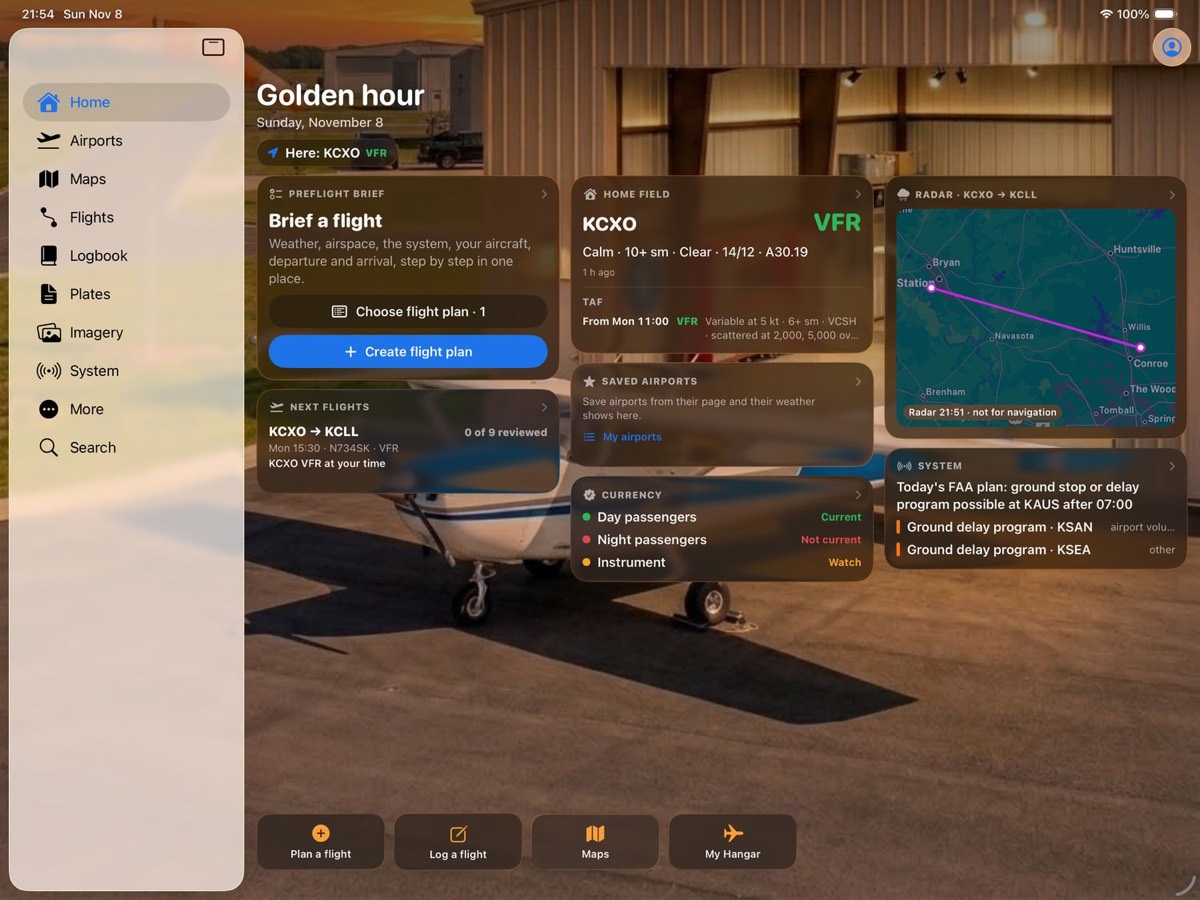
Home on iPad: your brief, your next flight, your home field, radar along the route, the system and your
currency.
What Skyward does
For planning and ground reference, alongside the app you fly with.
Preflight brief and walkthrough
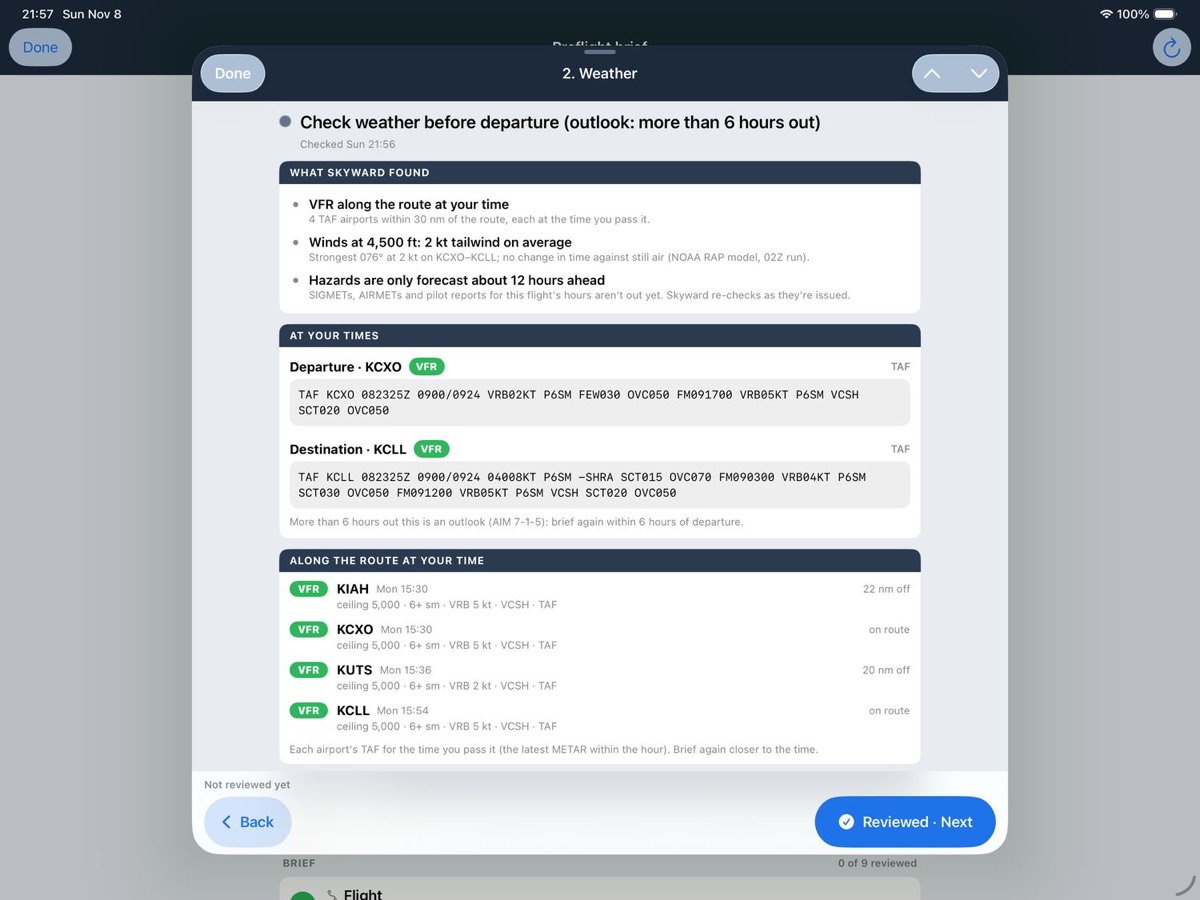
Pick a flight and Skyward briefs it in plain English: weather at your times, NOTAMs, TFRs, FAA programs, fuel, runways and frequencies in the order you’ll call them.
The walkthrough has nine sections, each marked reviewed as you go. If the data changes after a section is reviewed, it is flagged. Anything below your personal minimums is marked NO-GO with what caused it. Skyward does not make the go decision.
Print it as a kneeboard sheet with boxes for the ATIS, the squawk and your times.
Airports, plates and diagrams, offline
Every airport in the FAA’s database: runways, frequencies, the Chart Supplement, NOTAMs with closures first, and the weather with plain English over the raw report.
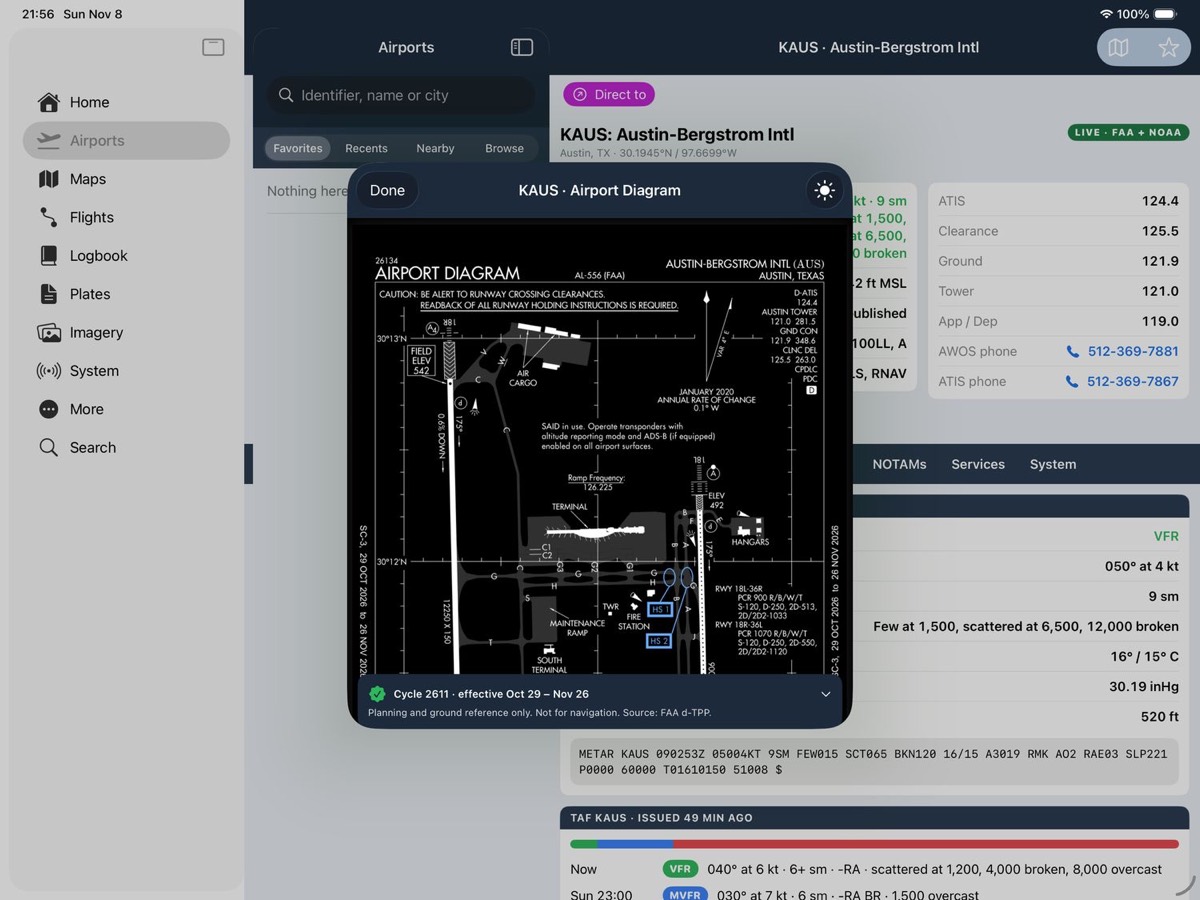
Approach plates, SIDs, STARs and airport diagrams, saved on the device for your airports so they open without a signal. Each plate shows its effective dates, a warning seven days before it expires, and an expired label after.
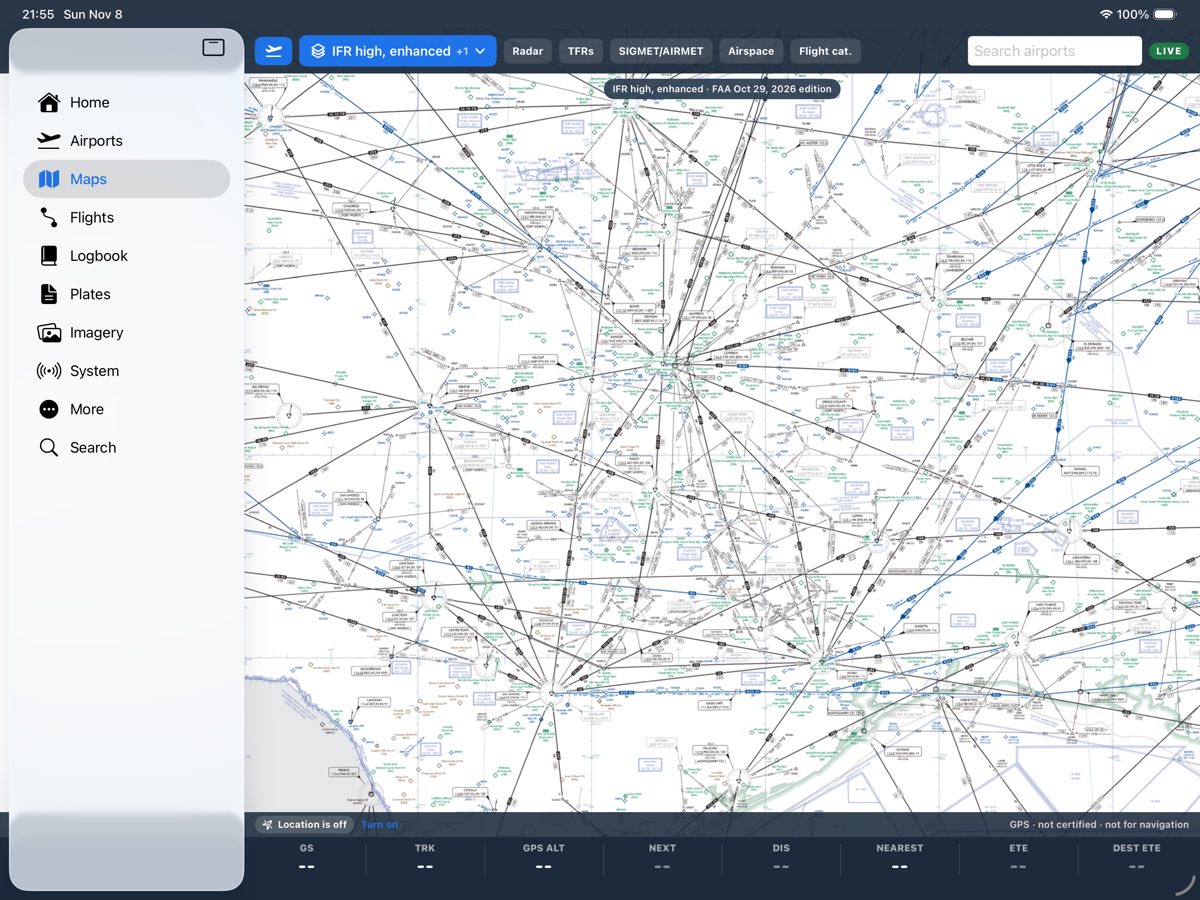
Charts, including Skyward’s enhanced IFR high and low
Sectionals, terminal area charts and IFR low and high charts on a map with radar, TFRs, airspace, AIRMETs and SIGMETs, and the flight categories of every airport in view.
Skyward’s enhanced IFR high and low charts are cut from the FAA’s own published charts, joined without seams and readable when you zoom in close. Every new edition is checked against the FAA’s charts before it goes live.
What FAA traffic management is doing
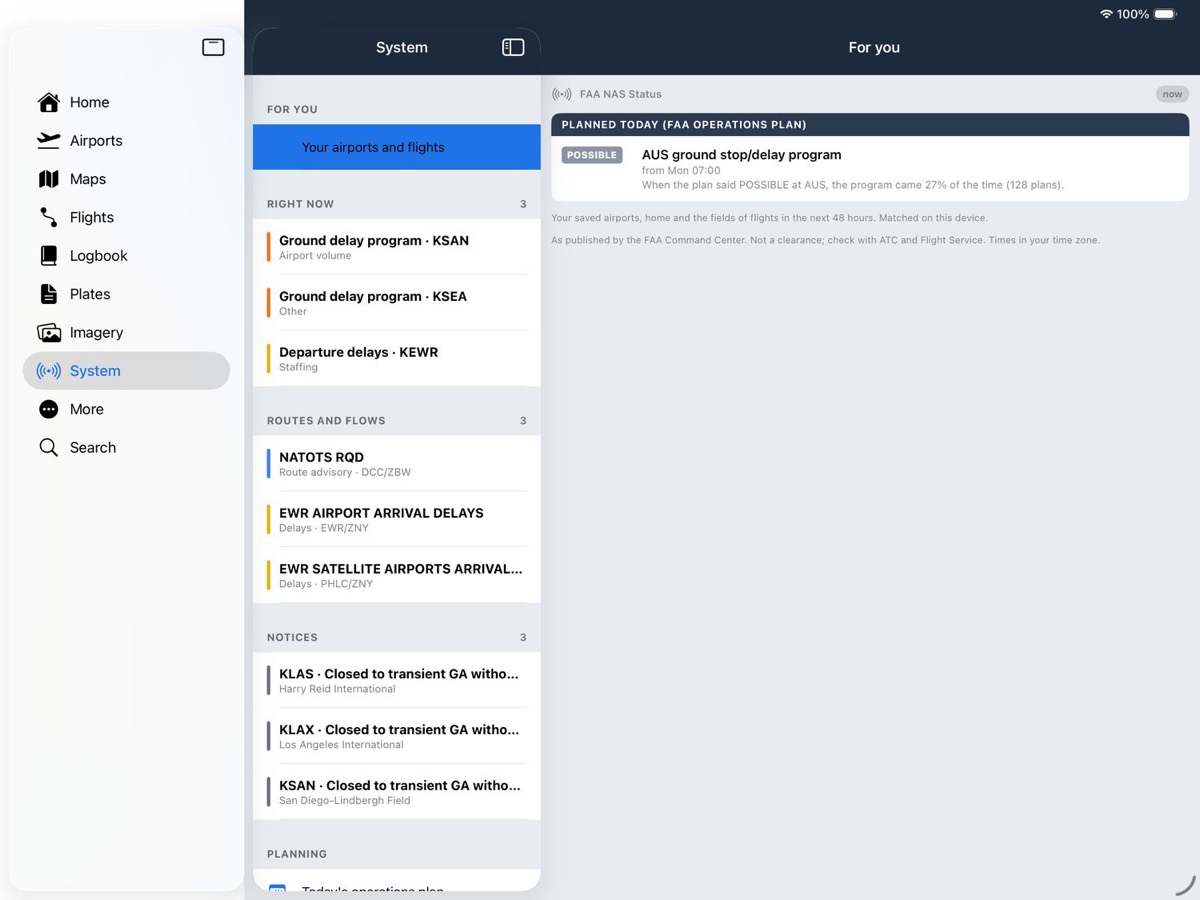
Ground stops, delay programs, reroutes and closures as they happen, today’s FAA operations plan, and which of them touch your airports and flights.
Skyward keeps the history, so it shows how often a program the plan listed as possible actually happened. All of it comes from public FAA sources.
Route weather at your time
The TAF for each airport at the time you pass it, winds aloft at your altitude, AIRMETs, SIGMETs, PIREPs, icing and turbulence, and a route profile with clouds, freezing level and terrain. A notification when it changes.
TAF accuracy by airport
For each airport, how often its TAF verified 6, 12 and 24 hours out.
Logbook and currency
A full logbook with totals and your day, night and instrument currency. Bring yours in from ForeFlight, MyFlightbook, LogTen, Garmin or any CSV, and export it any time.
Apple Watch and widgets
On the Watch: flight category, wind, altimeter and the next TAF change for the nearest airport, also as a complication. Widgets for your home field and your next flight, and a Live Activity on the day of the flight.
The website
Your logbook, aircraft and account at app.skywardnav.com, synced with the app.
Privacy
No ads, no third-party tracking, no analytics on where you fly. Export everything at any time; deleting your account removes it within the hour.
Pricing
A 30-day free trial of everything. After that, two plans, monthly or yearly. There is no free tier and no
advertising.
Pilot
$6.99 a month or $59.99 a year
Weather, the brief and the walkthrough, with pushes when it changes
Every airport, with plates and diagrams for your saved airports offline
The system view for your airports and flights
The forecast track record for every airport
Logbook, currency, Apple Watch, widgets and the website
Pilot+
$11.99 a month or $99.99 a year
Everything in Pilot
Every chart pack offline: sectionals, enroute charts, and plates by state or along your route
The system’s history and outlook: which programs and reroutes usually come with weather like today’s
The free trial is Pilot+, everything. You start it in the app, and Apple handles the payment; Skyward never
sees your card.
When the 30 days end, it renews as the plan you chose unless you cancel. Skyward reminds you three days
before.
Cancel anytime in your Apple Account: Settings → your name → Subscriptions.
If a plan ends, your logbook, aircraft, routes and saved data stay readable and exportable.
Prices in US dollars. Which feature sits in which plan is settled before launch.
Coming soon to the App Store
You can create your account now and sign in with it when the app is available.